Portal Configuration FAQ
What is the difference between a one-way and a two-way portal?
Your organization can use your external portal's online form to both receive case information from reporters and provide updates to them.
- A one-way external portal only allows reporters to submit cases. They cannot receive updates on their case via Case IQ.
- A two-way external portal allows reporters to set up an account for your external portal, so they can log back into the external portal and see updates on their case.
What happens when you deactivate a portal or switch it to one-way?
If you deactivate your portal:
- Reporters will no longer be able to access your external portal or submit cases.
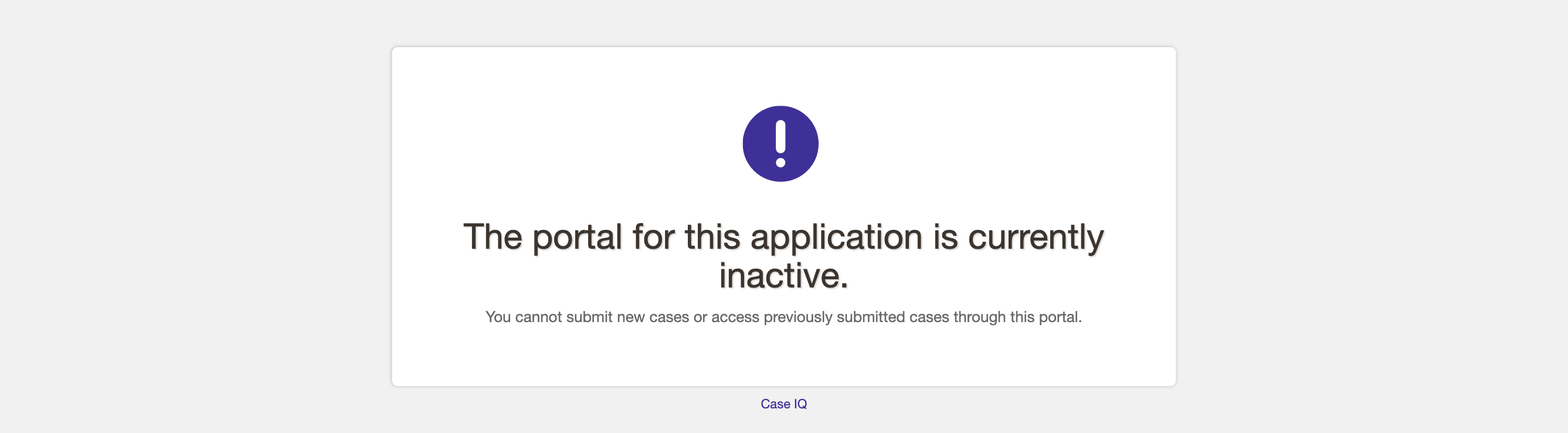
- The link to your portal will load a blank page that explains that the portal is not active, shown in the screenshot below. If you would like to customize the text on this page, see the Change Inactive Portal Default Text section of this article.
If you switch your portal from two- to one-way:
- Any reporters who set up an account with an email address will receive an email letting them know that they cannot access or receive updates on their case anymore. You can customize the notification sent to reporters, see the Change Inactive Portal Default Text section for details.
- In the main version of your application, a banner will be displayed on external cases (i.e. cases originally submitted via the external portal), informing internal users that the reporter no longer has access to the case.
Can I deactivate the online form on the external portal?
You cannot remove the online reporting option from your external portal. If your organization is no longer accepting online reports, you can deactivate your external portal.
Do I need to manage external portal user accounts?
System administrators do not need to manage external accounts, as Case IQ automatically handles external account management. External accounts:
- Do not appear on the User Profiles page, nor will they be visible anywhere in the application. If the reporter chose to identify themselves, their information will appear in the “Reporter” party created for the case.
- Do not count towards an application’s user account limits.
- Will be automatically deactivated after a set number of days of inactivity (by default 90 days). If the reporter made their account using an email address, they will be notified in advance of their account’s deactivation.
How can I ensure reporters provide their contact information? Our organization is required to contact reporters
We recommend using the following settings for your external portal, which will ensure that reporters provide their email address when they submit a case via the external portal intake form.
- Turn off the "Allow Anonymous Submissions" toggle.
- Set the "Reporter Access to Submitted Cases" setting to "Two-Way".
- Set the "Reporter Update Option" setting to "Is mandatory".

What do the portal settings on the Options and Translations pages do?
In addition to the External Portal Configuration page, you can manage your external portal's settings from the Options page (Settings > System > System > Options) and Translations page (Settings > Data > Translations). If you update settings on the External Portal Configuration page, your changes will be synced to the Options and Translations pages and vice versa. All related settings in Options and Translations will be locked when your changes are pending on the External Portal Configuration page to prevent overwrites. We recommend using the External Portal Configuration page to manage your portal's settings for ease of use.